

RabbitMQ Basics
RabbitMQ is a message broker.
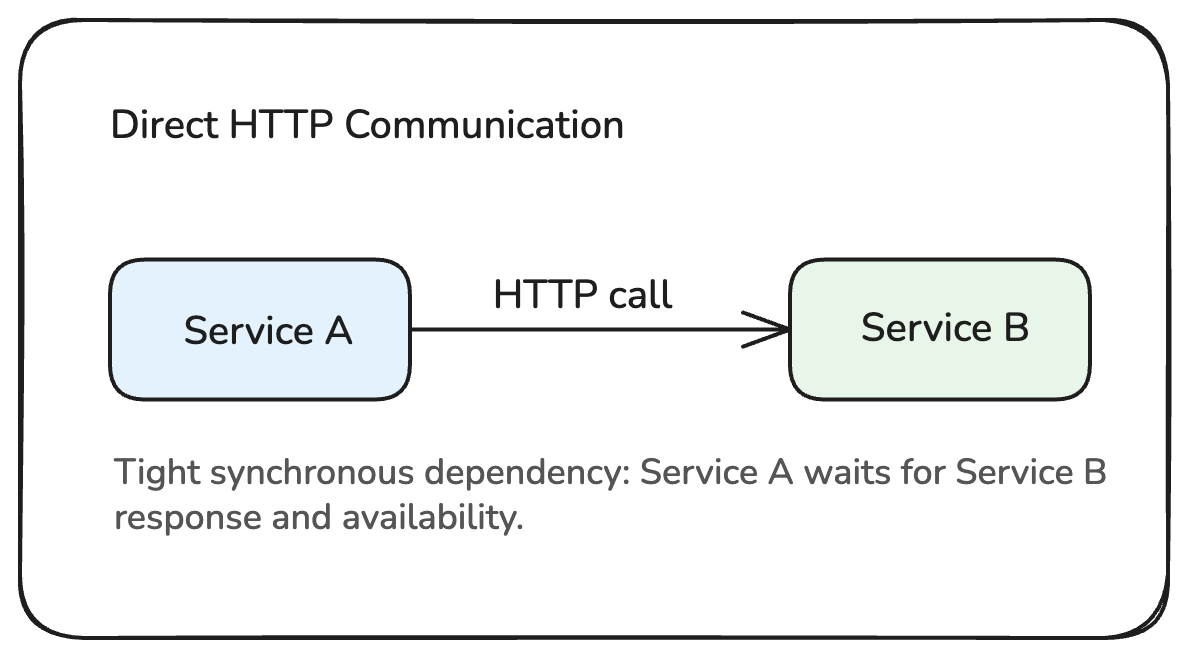
A message broker sits between services and helps them communicate without calling each other directly.
Instead of this:
You can have this:
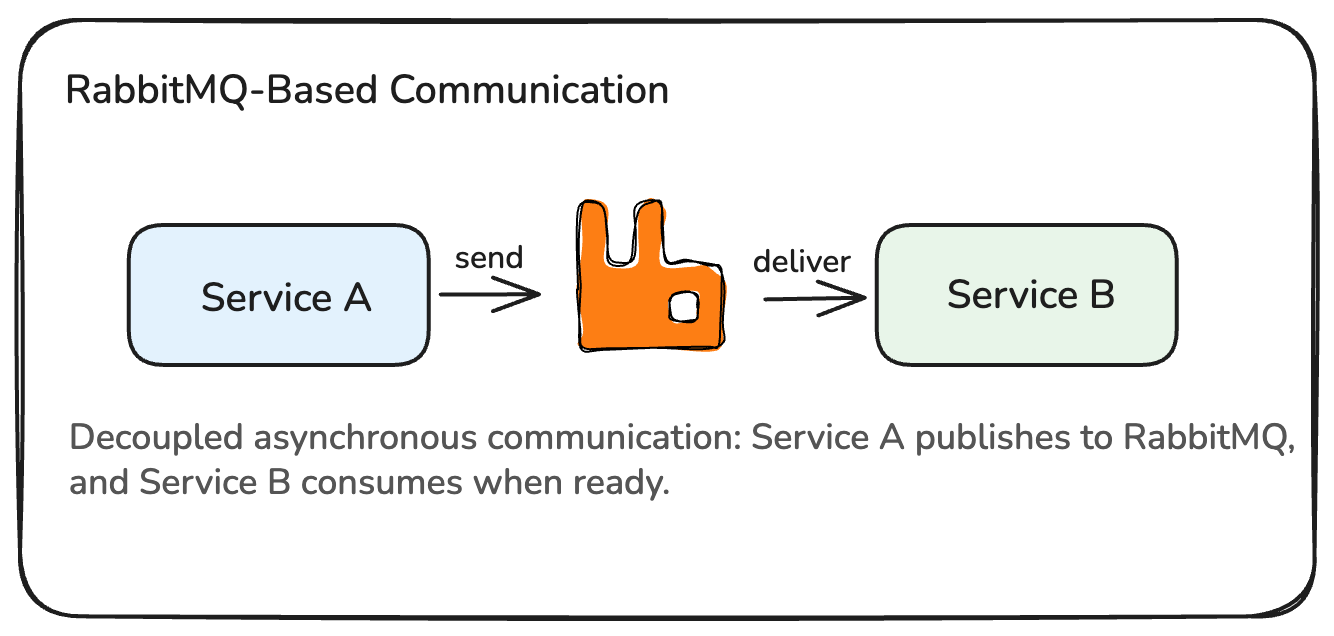
This makes systems easier to decouple, retry, buffer, and operate.
The main idea
RabbitMQ receives messages from producers and delivers them to consumers.
producer -> RabbitMQ broker -> consumerA producer publishes a message.
A consumer receives and processes a message.
RabbitMQ stores, routes, and delivers messages between them.
What is AMQP?
AMQP is the protocol RabbitMQ uses for messaging.
You do not need to know every AMQP detail to use Rabbit Relay, but it helps to understand the main concepts:
- exchange
- queue
- binding
- routing key
- acknowledgement
- publisher confirm
- dead-letter queue
Rabbit Relay keeps these concepts visible instead of hiding them.
Broker
The broker is the RabbitMQ server.
It owns:
- exchanges
- queues
- bindings
- messages waiting in queues
- delivery to consumers
In Rabbit Relay, you create a broker client like this:
import { RabbitMQBroker } from "@bitspacerlabs/rabbit-relay";

const broker = new RabbitMQBroker("orders-service");
The string is the peer or service name.
It appears in health output and lifecycle events.
Producer
A producer sends messages.
In Rabbit Relay, you publish a typed event envelope.
import { RabbitMQBroker, event } from "@bitspacerlabs/rabbit-relay";

const broker = new RabbitMQBroker("orders.publisher");

const orderCreated = event("orders.created", "v1").of<{
  orderId: string;
  amount: number;
}>();

const pub = await broker
  .queue("orders.publisher.q")
  .exchange("orders.ex", {
    exchangeType: "topic",
  });

await pub.produce(
  orderCreated({
    orderId: "o-1",
    amount: 42,
  })
);

await broker.close();
The event name is used as the default routing key.
Consumer
A consumer receives messages from a queue.
import { RabbitMQBroker } from "@bitspacerlabs/rabbit-relay";
import type { EventEnvelope } from "@bitspacerlabs/rabbit-relay";

type OrderCreated = {
  orderId: string;
  amount: number;
};

const broker = new RabbitMQBroker("orders.consumer");

const sub = await broker
  .queue("orders.q")
  .exchange<{
    "orders.created": EventEnvelope<OrderCreated>;
  }>("orders.ex", {
    exchangeType: "topic",
    routingKey: "orders.*",
  });

sub.handle("orders.created", async (_id, ev) => {
  console.log(ev.data.orderId);
});

await sub.consume({
  prefetch: 10,
  concurrency: 5,
});
The queue stores messages until a consumer receives and acknowledges them.
Message
A message is the data sent through RabbitMQ.
Rabbit Relay uses a standard JSON envelope:
type EventEnvelope<T> = {
  id: string;
  name: string;
  v: string;
  time: number;
  data: T;
  meta?: {
    corrId?: string;
    causationId?: string;
    headers?: Record<string, string>;
  };
};
The data field is your typed payload.
The other fields help with routing, tracing, versioning, and idempotency.
Rabbit Relay mapping
| RabbitMQ concept | Rabbit Relay API |
|---|---|
| Broker connection | new RabbitMQBroker(...) |
| Exchange | .exchange("orders.ex", ...) |
| Queue | .queue("orders.q") |
| Binding routing key | routingKey: "orders.*" |
| Producer | produce(), publish(), request() |
| Consumer | handle(), consume() |
| ACK/NACK | controlled by handler success and onError |
| Retry | consume({ onError: "retry", retry: ... }) |
| DLQ | deadLetter config |
| Topology ownership | topologyMode |
Why Rabbit Relay keeps RabbitMQ concepts visible
Rabbit Relay is not trying to hide RabbitMQ.
It gives you safer defaults and better TypeScript APIs while still showing the real messaging model.
That means developers can understand what happens in production.
Summary
- RabbitMQ is a message broker
- Producers publish messages
- Consumers receive messages from queues
- Exchanges route messages to queues through bindings
- Consumers acknowledge messages after processing
- Rabbit Relay maps these concepts into a typed TypeScript API